


Radio Code Generator
4.3165.00 Reviews
App Specs
- Version
- 13.0.0
- Updated On
- License
- Free
- Downloads
- 1,000,000+
- Developer
- Car Radio Codes
- Categories
- Auto & Vehicles
- Platform
- Android
Screenshots
 Analysis by AppCompare
When a car radio asks for an unlock code, the hard part is often not the app itself but figuring out whether you have the right information for the right radio. I like the idea behind Radio Code Generator: it aims to help drivers retrieve a code using the radio’s serial number, rather than sending them straight to a service desk. That can be useful after a battery change, a repair, or buying a used car, but it is not a magic key for every vehicle. The details on the radio and the manufacturer matter, and I would approach the process carefully rather than assume a code will work just because the car brand is supported.
Getting Started with Radio Code Generator
Let’s dive into the nuts and bolts first. Installing the Radio Code Generator is as easy as pie. Just download it from your app store, and in a few taps, you’re ready to roll. I found the interface to be super intuitive, which is a huge plus for people who aren’t exactly tech wizards.
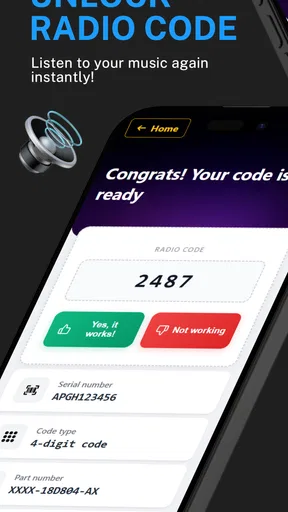
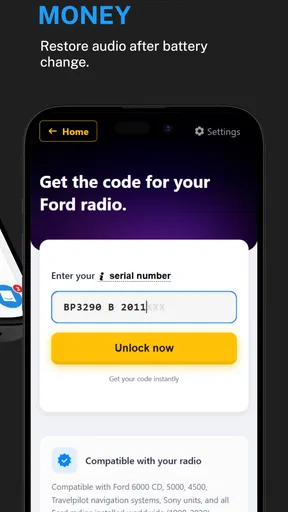
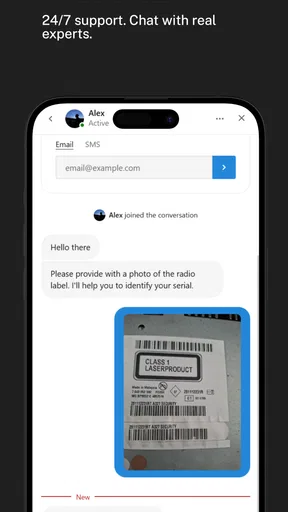
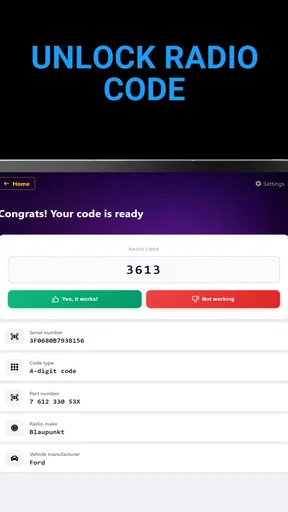
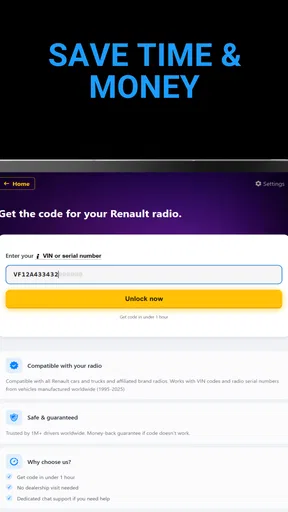
The app guides you through the process effortlessly. Simply enter the serial number of your radio, and voilà! You’ve got your unlock code. No fuss, no muss. The app is designed to work with a wide range of car models, so chances are, it’s got you covered.
Readability and Navigation
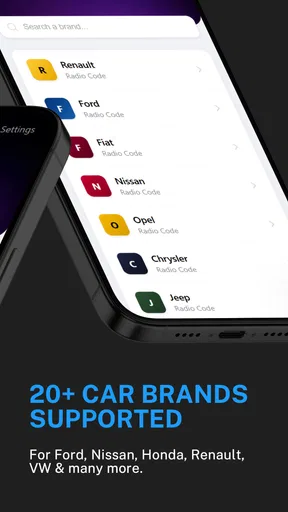
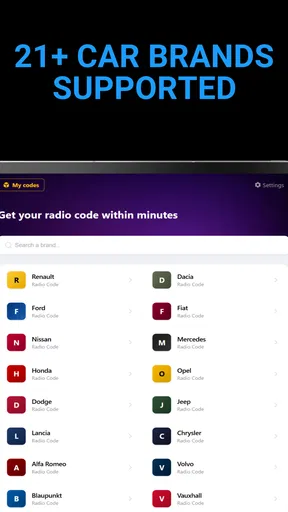
As an Auto & Vehicles app, Radio Code Generator focuses on a narrow job instead of asking me to learn a broad dashboard of car tools. That simplicity is a real advantage when I only need help with a locked stereo. The developer, Car Radio Codes, describes the app’s scope through support for Renault, Ford, Fiat, and other manufacturers; that breadth is helpful, but I would still check the exact radio details before entering anything.
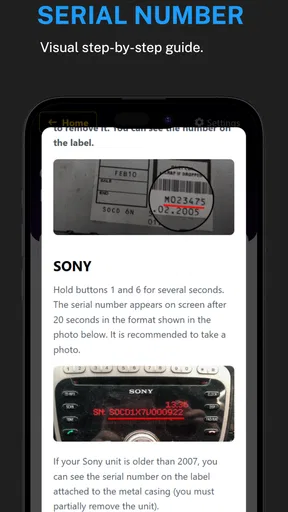
In practice, the important navigation question is not just whether the screens are easy to follow. It is whether I can identify the radio’s serial number accurately before I start. A code process depends on that input, so I would pause and compare the characters rather than rush through a confusing label. A zero can be mistaken for a letter, and a scratched or awkwardly placed serial marking can make transcription uncertain. If I cannot read it confidently, I would stop and find a clearer way to inspect the unit instead of guessing.
That small bit of preparation is useful for people who are not comfortable with technical tasks. I would keep the car’s make and model information nearby, along with any radio details I can read, and work through the app while parked. The app’s straightforward purpose may make it less intimidating than searching forums for a series of unrelated instructions, but clear input still matters more than speed.
Motor and Sensory Considerations
For someone with limited hand mobility, the serial-number step may be more demanding than tapping through the app. The radio may be difficult to reach or inspect, and entering a long sequence on a phone keyboard can require careful, repeated touches. I would not try to do this while driving or while leaning awkwardly into the dashboard. Getting another person to read the serial number aloud or help with the entry can make the task safer and less tiring.
Worth Reading Before You Choose

Flipboard Shows What News Apps Must Do Beyond the Feed

Switching to Android Auto Means Rethinking Your Driving Routine

Google Calendar Makes a Crowded Week Easier to Manage

Ludo King Makes the Most of the Minutes Between Plans

Baby Panda World Brings Quick Play to Modern Phones, but Its Game Library Feels Busy

ESPN’s Live Game View Makes Following Close Games Easier
There is also a practical distinction between using an app and completing the whole unlock process. A phone can help with the lookup, but the final code still has to be entered into the car radio using its controls. That may be inconvenient for someone who finds small buttons hard to distinguish or press. If the radio controls are worn, dim, or unfamiliar, I would check the vehicle manual or ask someone to assist rather than repeatedly trying combinations.
Radio Code Generator is not an audio player or a driving companion, so I would not judge it by entertainment or voice-guidance features. Its value is in helping with a specific recovery task. If reading small text on a phone is difficult, I would enlarge the device’s system text before starting and make sure there is enough light to read the radio label. Those are general phone adjustments, not special functions I would assume the app provides.
Situational Access: When a Code Lookup Helps
One of the things I really appreciated is how user-friendly the app is. You don’t need to be a tech expert to navigate through it. The instructions are clear, and it’s practically impossible to mess up. It’s like having a personal assistant for your car radio issues.
Another standout feature is the app's compatibility. Whether you’re driving a flashy sports car or a vintage classic, the Radio Code Generator has got your back. It supports a vast range of manufacturers and models, which is a game-changer for anyone with multiple vehicles or someone who changes cars frequently.
That broad manufacturer coverage makes the app especially appealing to drivers who have bought a used vehicle without the original paperwork, or to a household that looks after cars from different makers. Still, I would treat manufacturer support as a starting point, not a guarantee for every head unit. A replacement radio may not match the car’s original brand, and some systems may require a different recovery route. Before relying on the app, I would confirm that the device I am trying to unlock is actually the kind of radio its code process can handle.
A realistic example is a driver who has had a flat battery or a workshop repair and then finds the stereo requesting a code. If the car is already parked at home, I can inspect the radio information, enter it calmly, and try the resulting code according to the radio’s own instructions. This is more manageable than attempting the same process at the roadside, where poor lighting, traffic, or pressure to get moving can lead to mistakes. If the serial number is inaccessible without removing the unit, I would avoid forcing it and consider a professional instead.
The app also differs from the usual alternatives in a useful way. A dealership or vehicle specialist may be the better choice when the radio is unusual, the serial number is unreadable, or the code is rejected. A general web search can turn up advice, but it may mix instructions for different radio models and leave me unsure which steps apply. The app offers a more focused route for supported manufacturers, while professional help offers a better safety net for edge cases. I see it as a convenient first attempt, not a replacement for every kind of diagnosis.
Costs, Compatibility, and Remaining Barriers
Alright, let’s talk about the nitty-gritty. Is it worth downloading? In my humble opinion, absolutely! Imagine being stuck on a long drive without your favorite tunes or podcasts. The horror! The app is a lifesaver in such scenarios. Plus, it’s way more convenient than having to go to a dealership or call tech support.
It’s also a time-saver, sparing you the ordeal of spending hours trying to unlock your radio manually or waiting days for third-party services to help you out. With this app, you can get your code in minutes.
I would temper that convenience with one important practical point: the app is free to install, but it includes in-app purchases, with items priced from $4.99 to $54.99. I would check the cost shown for the specific option before committing, and compare it with the price of getting help from a dealer or specialist if the car’s radio is not a straightforward match. “Free” makes it easy to try, but it does not mean every code-related action is free.
For context, the app has a 4.2 average from around 14,000 ratings and has been installed over a million times. Those figures suggest that many people have found it worth trying, but they cannot tell me whether it will work for my particular radio. I would give more weight to matching the radio details correctly than to popularity. Its Everyone age rating also makes it broadly suitable in terms of content, though the task itself is mainly relevant to drivers or people helping them.
Another trade-off is that a code is only useful if I can enter it successfully. Some radios impose limits or instructions that vary by unit, so I would follow the car’s manual and avoid repeatedly guessing if the code does not work. An incorrect attempt can turn a simple recovery into a more frustrating job. If the app returns something that does not fit the radio’s display or the radio rejects it, I would recheck the serial number and stop before making repeated attempts.
The current version is 13.0.0, and the app requires Android 7.0 or later. That makes device compatibility worth checking before I am already standing beside a locked radio. The product is free to download, but iOS users should make sure they are looking at the appropriate platform version rather than assuming an Android requirement applies to their device. For an older Android phone below the minimum system version, a newer device or another recovery option may be necessary.
Who should skip it? I would look elsewhere if the radio is not among the app’s supported types, if the serial number cannot be obtained safely, or if the vehicle uses an integrated system that needs specialist attention. It is also not a substitute for audio restoration: it will not help if the issue is a failed speaker, damaged wiring, or a radio that will not power on. In those cases, a code lookup addresses the wrong problem, and a mechanic or car-audio technician is the more sensible choice.
An Inclusive Verdict for a Specific Job
Wrapping up, the Radio Code Generator is a must-have for anyone who’s ever faced the dreaded locked radio situation. It’s simple, efficient, and incredibly helpful. I’m all about anything that makes life easier, and this app does exactly that.
If you’re looking for a hassle-free way to unlock your car radio, give this app a try. You’ll thank me the next time you’re on a road trip, jamming out to your favorite playlist without a care in the world. So, what are you waiting for? Go check it out and never drive in silence again!
My recommendation is a little more selective: I would keep it in mind when a supported radio asks for a code and I can read its identifying information clearly. I would use it at home or in a safe parked place, verify every character, check any purchase cost before proceeding, and follow the radio’s own instructions when entering the result. If the radio is an uncommon replacement unit, if the label is hard to reach, or if the code is rejected, I would switch to a qualified professional rather than keep experimenting.
That balance is what makes this app useful without making it universal. Its focused approach can save time for the right radio and the right situation, while the need for accurate identification and possible paid options means it is not equally convenient for everyone. For drivers who can manage those steps, it is a practical first stop; for anyone who needs hands-on help or has an accessibility barrier at the radio itself, getting assistance may be the easier and safer route.
Pros
- Easy to use interface for quick code generation.
- Supports a wide range of radio models.
- No internet connection required for use.
- Fast and reliable code processing.
- Regular updates improve compatibility.
Cons
- Limited support for older radio models.
- No customer support for troubleshooting.
- Ads can be intrusive during use.
- Premium features locked behind paywall.
- Initial setup can be confusing for some.
FAQs for Radio Code Generator
What is Radio Code Generator, and how does it work?
Radio Code Generator is an app designed to help users retrieve the security code required to unlock their car radio after a power loss or battery change. By entering your radio's serial number, the app generates the correct code to restore your radio’s functionality without needing to visit a dealership.
Is Radio Code Generator compatible with all car models?
While Radio Code Generator supports a wide range of car manufacturers and models, compatibility can vary. Users should check the app’s description or support page to verify if their specific car make and model are supported. This ensures the app can generate the correct code for your vehicle's radio.
How secure is the information I input into Radio Code Generator?
The developers prioritize user privacy and security. Information entered, such as the radio's serial number, is used solely to generate the unlock code and is not stored or shared. However, users should always verify the app's privacy policy to ensure their data remains secure and confidential.
Is there a cost associated with using Radio Code Generator?
Radio Code Generator may offer both free and premium features. The basic version often provides essential functionalities, while a premium version might offer additional benefits such as support for more car models or faster code generation. Users should review the app's pricing structure before downloading.
What should I do if the code provided by Radio Code Generator doesn’t work?
If the code generated does not work, first ensure that you have entered the correct serial number and followed all instructions precisely. If issues persist, consult the app’s customer support for assistance. It’s also possible that your car model might require a different method for code retrieval.


